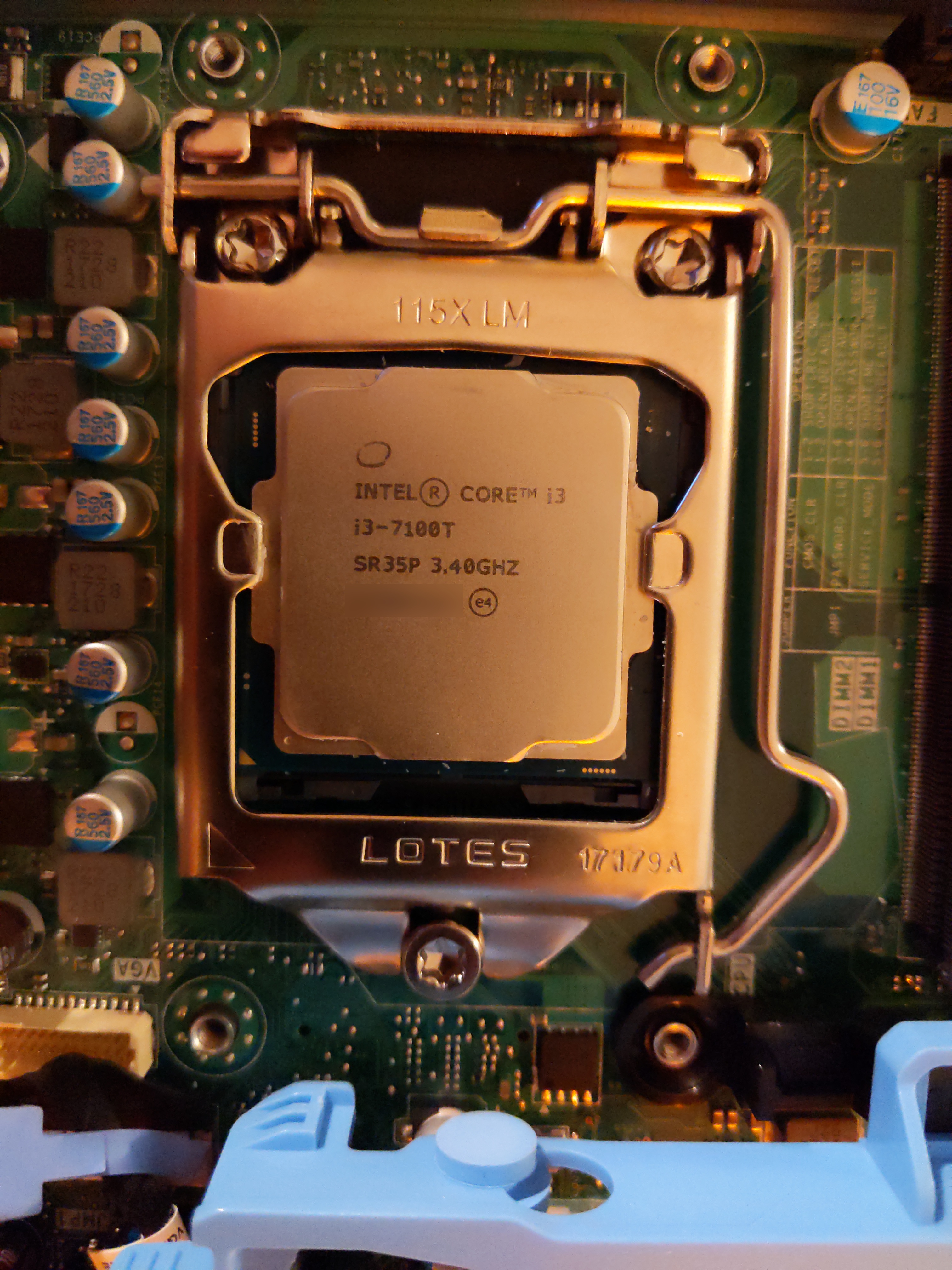
 I got lucky by finding a model with a 7th gen CPU.
A powerful and compact mini computer. Works well as a media computer, and could surely double as a decent desktop computer. It's even supported by libreboot, although I haven't gotten around to flashing it yet. It's easy to disassemble and doesn't require any tools to do so. Storage, RAM and wireless card can all be easily swapped. With both SATA and M.2 for storage, it's all the more versatile. There are plenty of them for sale on second hand sites, for anywhere between 50 and 100$. If you need a desktop, media PC or server, one of these is most likely a cheaper and less polluting solution than a brand new machine.
I previously wrote about the t620, which has since been moved offsite, where it works wonderfully as a remote backup server and media center. I had been using an orange pi 3 with libreelec for some time, but wanted to see whether games and emulation could be better integrated into kodi. The easiest way was to get an x86 box which would work with any generic linux distribution.
So it had to be an x86 machine, cheap, with at least a bit of power (simulating gamecube games was a plus) and ideally with a FOSS bootloader. The optiplex 3050 micro was added to libreboot not too long ago. Although it needs some binary blobs to boot, it's still much better than a proprietary bootloader and a much more modern machine than some of the others on the libreboot supported devices list.
The price and libreboot support are the top two things going for this particular model. Serverthehome did a review of this machine in the context of their tiny mini micro series. Although this was 5 years ago, and the price they quoted was around 350$. Today you can find one for anywhere between 50 to 100$, depending on the CPU, storage and RAM configuration.
The performance is pretty good for such a physically small box. Some of the configurations come with 7th gen Intel rather than the 6th gen. In any case, it's a lot more powerful than the t620. Although I haven't tested gamecube emulation, I think it should handle it.
I got lucky by finding a model with a 7th gen CPU.
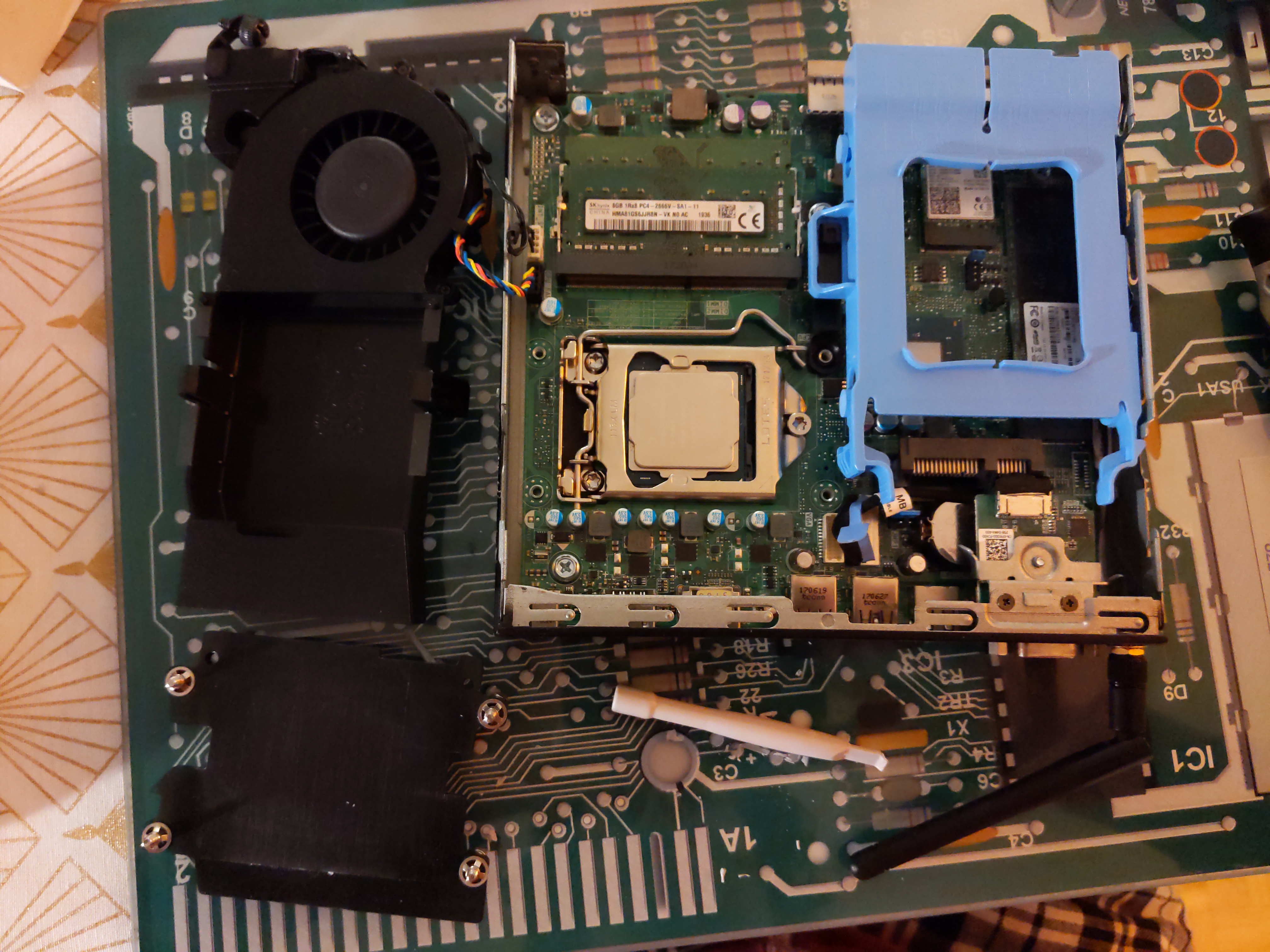
With such a compact system, I thought lots of the components wouldn't be upgradeable. But a happy surprise: the RAM, storage and wifi card are all upgradeable. In terms of storage there is both M.2 and SATA on the board. It's easy to open the chassis, no tools required. The only screwdriver needed is for changing the M.2 storage or wifi card.
Another treat is HDMI. A lot of these business-type systems only have displayport, no HDMI. I assume for royalty reasons. Which isn't the end of the world, but all the other devices I have use HDMI, so having a different cable or adapter for one device is a little clunky.
Bluetooth also worked better than on the orange pi 3. Gamepads worked flawlessly with the optiplex, but failed on the orange pi 3, for example.
The fan is a bit noisy. That's it.
When I was setting it up I had it under my desk sitting on my desktop. Even at the lowest speed I noticed it was there, and it just ... got to me. I wouldn't use it as a desktop. Then again I may be a bit picky interms of fan noise. Even after removing all the dust from the inside and changing the thermal paste, it didn't improve much. The issue seems to ultimately be that the lowest fan speed is audible. A different fan or being able to set more fine-grained fan speeds may solve this.
I haven't gotten round to flashing libreboot to it yet. The required binary blobs can't be redistributed by libreboot and need to be injected into the image by the user before flasing. During the first try the build process failed. Something to do in the future.
I'm expecting the 7th gen intel to have low power usage, but that still needs to be measured. I don't think it will be as good as the t620, but hope the 7th gen will still be pretty decent.
I initially started out with debian trixie, and had some intense doubts on whether I would need some swap on an HTPC that had 16GB of RAM. Luckily a kind soul helped me see "reason", and I added another 8gb swap partition.
But after going through the motions of setting up the OS and kodi I realised that the debian retroarch package patches out the core updater. This means only the retroarch cores packaged in the debian repositories are available, which is to say not many. The emulators I wanted to use were not packaged.
So I switched to arch (obligatory I use arch btw). Compared to debian there were several things that needed fixing in different config files.
The fan control daemon, i8kmon, seemed to crash without adding a delay before it started. So the following was added to /etc/systemd/system/i8kmon.service.d/override.conf:
[Service]
ExecStartPre=/usr/bin/sleep 15
ExecStopPost=
I fought with the sound for quite a bit, until I realised that it needed to be unmuted in `alsamixer`.
It then stopped booting at some points while the LED lights just flashed. According to the user manual it was memory related. So I swapped the RAM modules and it worked again, not sure if it was just a glitch. Although I'm reasonably sure this wasn't OS related.
With these little hurdles out of the way, I went into setting up kodi. I used the `kodi-standalone` package from the AUR, and used the `kodi-wayland` service for launching kodi on boot. You'll need to use either kodi-wayland or kodi-x11, as there needs to be some kind of windowing system to be able to launch retroarch from kodi and then come back to kodi on exit. If you use `kodi-gbm` kodi basically takes over the video output and another program can't be displayed ontop.
For the retroarch integration I set up Advanced Kodi Launcher (AKL), not to be confused with "Advanced Emulator Launcher". This is where things got a little tricky. There's quite a lot of manual steps to be done and back-and-forth required to get it all working. I ended up first launching retroarch standalone to get everything working. Then I added an AKL launcher for each emulator with retroarch. The built-in AKL retroarch launcher didn't work, so I used a generic launcher, put in the retroarch path and specified the core with "-L /path/to/retroarch/core". The metadata scraping in AKL using screenscraper worked great. And I got the result i was looking for. I don't have any screenshots, but you can basically get a list of games in kodi, including cover art and some metadata like this.
It's still not quite perfect, as the video output is set to 4k and 30Hz. The `kodi-wayland` is using `cage` in the background to launch the wayland session. But I couldn't get `wlr-randr` to connect to the display to change the video mode. And kodi itself can't see any other video modes than the one currently in use. Ideally I would have wanted 1080p and 60Hz, as I have no 4k content and could get a slightly faster refresh rate for retroarch. But in the end it's not crucial and the system is just as useable. Retroarch did have some issues with the refresh rate being wrong compared to the video output, but that can be set in the retroarch settings.
To summarise the final HTPC setup looks something like this:
It works well as a kodi box. And with the initial setup out of the way I think it will require minimal maintenance due to the rolling nature of arch.
Where things could be a bit better is the retroarch integration. The setup with AKL is involved and fragile, it's broken a few times already. Kodi does have native support for libretro cores, but I think they're still sorting out the metadata format and library presentation. I've used kodi's native support in the past and it's much easier to setup and less prone to breakage.
The first thing I still need to explore is flashing libreboot to it. I just need to do some troubleshooting and likely ask for some help on IRC. A bonus thing I could try out is the pulse equalizer GUI, which has support for room correction. This was in fact another reason for switching to a vanilla linux distro, as libreelec uses alsa by default. I could maybe look into the noisy fan some more, but as a media computer it's far away enough not to be bothersome anymore.
